Operations8 min read
How to Manage a Custom Door Manufacturing Business
Custom manufacturing is genuinely complex — but complex and disorganised are different problems. The six stages of operations where door shops quietly lose control, and what good looks like at each one.
Slab Team · 20 August 2026
Introduction
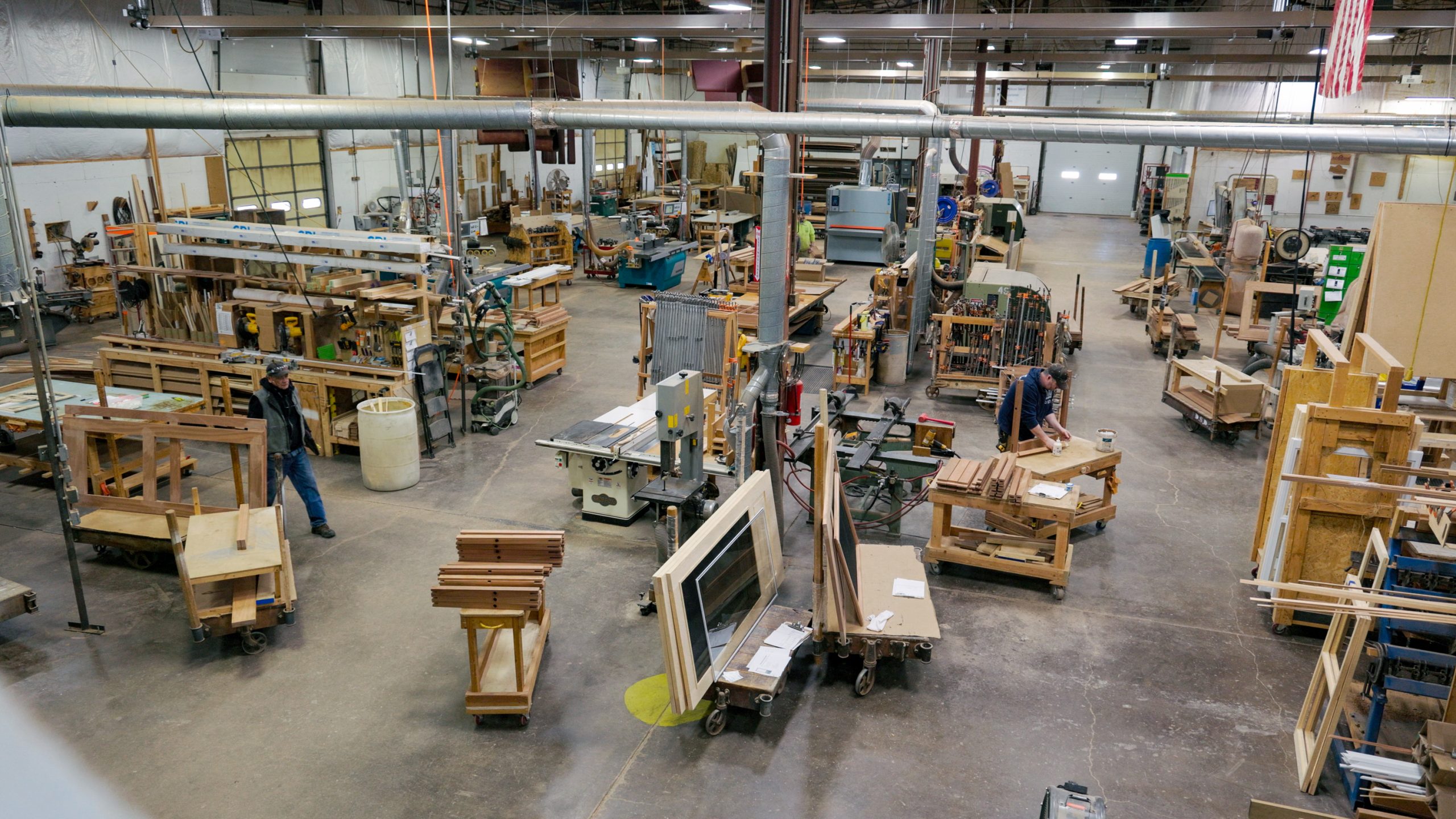
Ask a custom door manufacturer the amount of craftsmanship that goes into their trade, and you’ll get a confident answer. Ask them again to show you how they sort their orders from the first customer call to the final quote, and you begin to see the confidence crack. Why, you might ask? Because that question is usually answered with a series of uncertain replies like “it’s in our CRM, sort of” or “it’s in three different spreadsheets on our system, almost certainly.”
This problem isn’t a knock on how these businesses are run. Custom manufacturing is much harder to systematize than off-the-shelf production, because no two jobs are identical. Different specs, different materials, different finishes, and certainly, different timelines. The variability that makes the product valuable is the same variability that makes the operation hard to track. However, there’s a difference between a business that’s complex and one that’s disorganized, and the most predominant cause of manufacturers' scaling or failing is a very thin line that almost always comes down to how well six specific stages of operations are managed.
Here’s what that looks like in detail, and where most manufacturers quietly lose control of it.
1. Customer and Project Information
Agreeably, every job must have a customer to be profitable, and every customer relationship generates information you’ll need. For a custom door manufacturer, including contact details, project specs, prior orders, or pricing history are all important pieces of information that help define the customer. The mistake most factories make isn’t failing to record this information. It’s recording it in multiple different places at once: a CRM for contacts, a shared drive for specs, an inbox for change requests, a notebook for phone numbers and calls.
Imagine a scenario where a previous customer calls several months later. Finding their history takes longer than it should, and a customer service representative inevitably asks questions the customer already answered.
Is there a better way to do this? Yes. A single, centralized system, where a customer’s full history from their contact info, past projects, and current status lives and is updated automatically as the job progresses.
2. Quoting and Estimating
This is where custom manufacturing exposes the limitations of generic tools. A standard products business can price items from a catalog. Still, a custom door shop has to calculate a new price for almost every order based on a combination of dimensions, materials, hardware, and designs. The challenge is doing that accurately and quickly enough to secure the order.
Many manufacturing businesses today still rely on complicated spreadsheets and manual calculations, which often require rebuilding quotes from scratch, even when they’ve priced similar jobs before. A better system would remember previous quotes and use that historical pricing as a foundation, allowing the business to generate accurate estimates much faster.

3. Order Management
When a quote becomes an order, that’s usually the moment information starts to fragment. Sales knows what was promised, while production may receive those details via a printed work order, verbal handoff, or forwarded email. Every additional handoff creates an avenue for something to get lost.
Changing orders, which are albeit common in custom work, make the problem even worse. A customer may request a change that gets updated in the sales system, while production continues working from an older order, unaware of the update. This costly mistake may not be discovered until the wrong specifications have already been built.
What good looks like: one order that remains the single source of truth from the approval stage through to the completion stage, with sales and production working from the same up-to-date information.
4. Production Scheduling and Tracking
This is the stage where “I have a system” most often means “I know where things are because I check constantly.” When it comes to production visibility, knowing what’s queued, what’s actively being built, and what’s stuck waiting on material tends to be left to the mental retention of a business manager or a whiteboard that seems accurate until someone forgets to update it.
Everything works, right up until that person is out sick and a customer calls asking for a status update that nobody else can give.
What good looks like: real-time visibility into where every job sits in the production process, and accessible to more than one person
5. Inventory and Materials
Inventory is one of the hardest things to track because custom orders can at times consume materials unpredictably. Manufacturing businesses often respond by either over-ordering to avoid running out of materials mid-job, which in turn, ties up cash in unused inventory, or under-ordering and discovering a shortage just when production needs the material.
The underlying problem is that material usage isn’t connected to the orders driving it. Without that connection, the business can’t see what materials upcoming jobs will require, what is already in stock, or where storage is likely to occur.

What good looks like: inventory levels that actually reflect what’s actually been committed to active orders, not a count that’s only as current as the last manual audit.
6. Cost Tracking and Invoicing
The final stage deals with the determination of profitability, and it’s the one most businesses audit the least in real-time. Comparing what a project was quoted at to what it actually cost in materials and labor usually happens weeks later, if it even happens at all. Invoicing then becomes a manual chore involving rebuilding a bill from the original quote rather than pulling directly from a completed order.
What good looks like: cost visibility is tracked in real-time while the job is still active, and an invoice that’s a direct extension of the order rather than a document built from scratch.
Why This Problem Persists
An important thing to note is that the problem on the business's part is not a competence problem. It’s an infrastructure problem. Spreadsheets, email, and paper records are genuinely good tools for simple, linear work. However, they tend to break down under the exact conditions custom manufacturing creates, such as many moving variables, several people who each need different pieces of the same information, and operations that change shape with every new order. When you stitch six disconnected tools together to cover six stages of the same job, that isn’t a smart workflow; it's a temporary transition layer, and one thing with transition layers is that information is lost every time someone in the company hands work from one to the next.
This is the point where a lot of owners start looking for “manufacturing software” and get discouraged quickly, because most of what’s on the market is either built for high-volume standardized production (which is a poor fit for one-off custom work) or so broad and configurable that it takes months of setup to transform it into something usable.
What a Purpose-Built System Actually Changes
This is the exact gap platforms like Slab are built to close. This platform is not a generic ERP retrofitted for door manufacturers, but a tool built around the specific six-stage workflow listed above, from start to finish. Customer, quote, order, production, inventory, and invoicing live in one connected system instead of multiple disconnected systems that don’t communicate or integrate with each other, which means that when a change is made at the order stage, it is visible at the production stage without anyone re-entering it. Quoting draws on prior pricing instead of starting from a blank spreadsheet. Inventory reflects what’s committed to active orders. Job costs are visible while the job is still running, and not three weeks later after it’s shipped.
It’s also worth being straightforward about the trade-offs. A platform built specifically for custom door manufacturing won’t have the infinite flexibility of general-purpose ERP, and if your operations have a genuinely unusual process, you’ll want to confirm it can be shaped to fit most platforms in this category, Slab included, offer custom fields, workflows, and integrations for exactly that reason, but it’s a conversation worth having before you commit, not after.
There’s also a short-term learning curve when replacing a system your team already knows. The question is whether that transition cost is worth it as compared with the ongoing time, errors, and manual work the new system can eliminate efficiently.
Final Thoughts
If any of the six stages above sounds familiar — a whiteboard standing in for a production schedule, a spreadsheet nobody’s allowed to touch, or a job costing exercise that happens after the money’s already spent — it may be a sign that your business has outgrown its current tools, even if the business itself hasn’t outgrown its capacity. Before moving to a large ERP, it’s worth exploring whether a system built specifically around the way the business actually works would be a better fit.